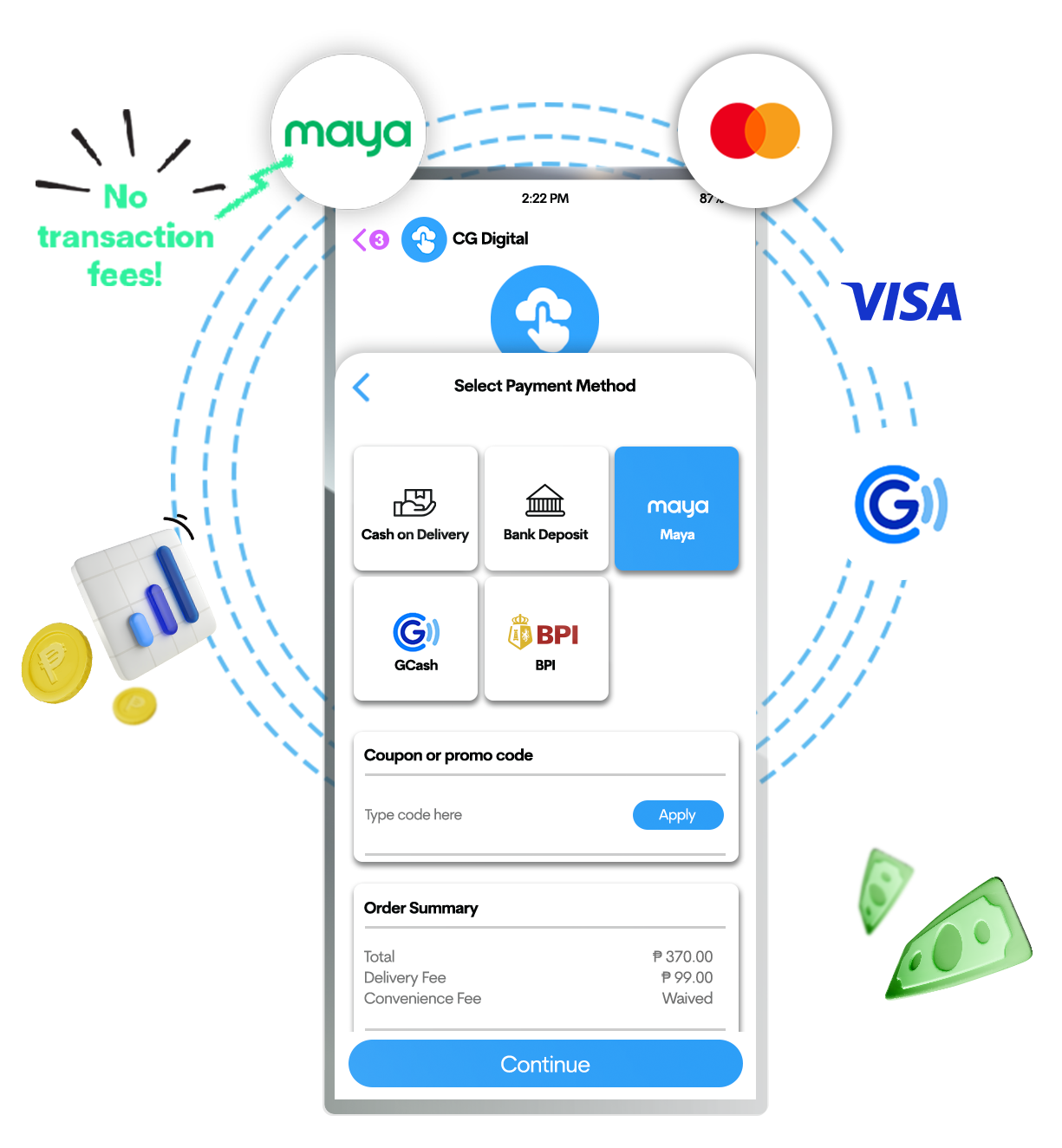

Start accepting cards, Maya, GCash, QRPh payments, and more on your ChatGenie store.
Receive online payments directly to your ChatGenie online store with Maya Plugin.
PLUS, get FREE convenience fees when your customers pay you with Maya.








*Coming soon
Why you’ll love Maya Plugin

Access to global market
Enjoy a simple pricing scheme designed to give you access to a world of opportunities and encourage growth and improved sales volume

Secure transactions
Remove cash handling risks and enjoy 24/7 fraud protection designed to keep all your transactions safer and more secure

Improved customer experience

Easy to set up and no
integration required

Instant express lane
Reduce cart abandonment by simplifying your customers’ online shopping experience
Enjoy FREE convenience fees when your customers pay with Maya
How to Apply

Steps 1
Register for a Maya Business Manager account

Steps 2

Steps 3
Upload necessary document requirements

Steps 4
Activate Checkout & Invoicing and submit

Steps 5
Wait for your application approval
What do
you need?
Sole proprietorships
Fill out basic merchant information requirements:
-
Valid ID
-
Individual's TIN
-
Bank details
Partnerships and corporations
Fill out basic merchant information requirements:
- Valid ID
- Articles of Incorporation or Partnership or Secretary's Certificate
- If PBM is not signed by the President, Treasurer or Corp Sec
- If AOP is not available
- Company TIN
- Bank details
After successfully activating
your
online products
‘Checkout and invoicing’,
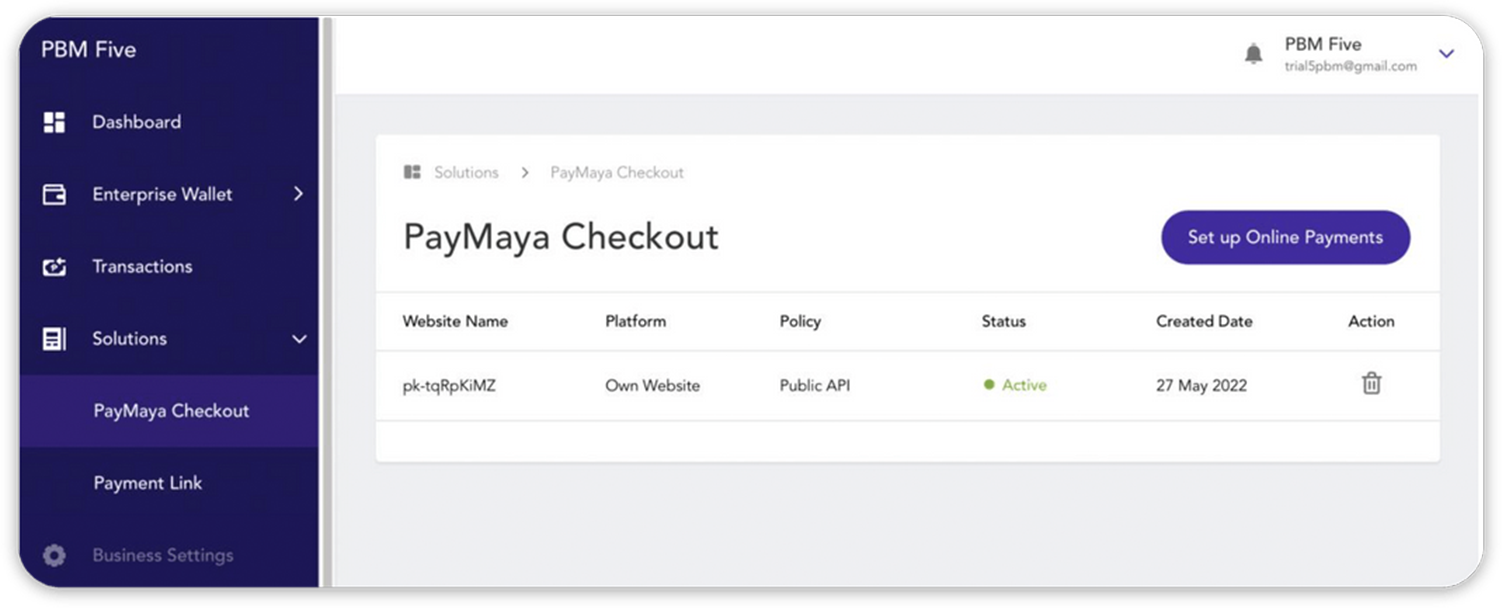
go to your Maya Business Manager Dashboard
Step 1
Click Solution from the side menu and choose PayMaya Checkout
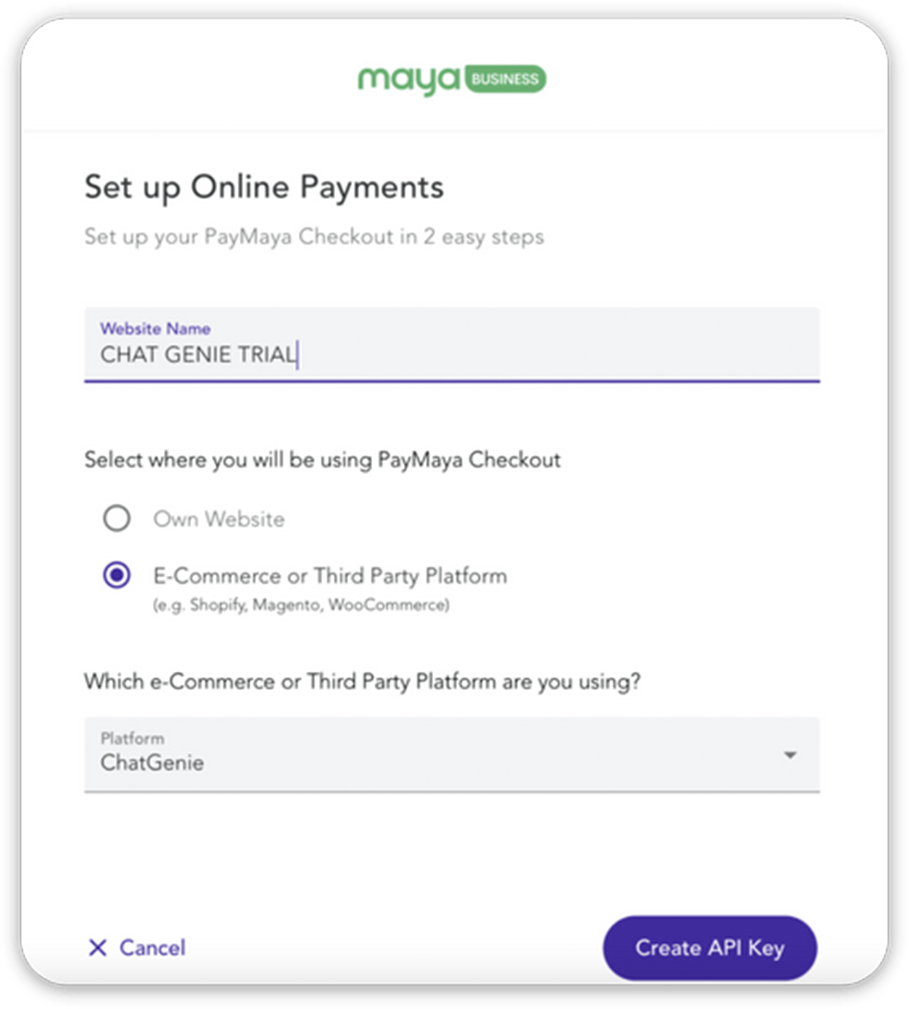
Step 2
Input your Website Name and tick E-commerce or Third Party Platform
Step 3
Choose ChatGenie from the dropdown menu and click Create API Key
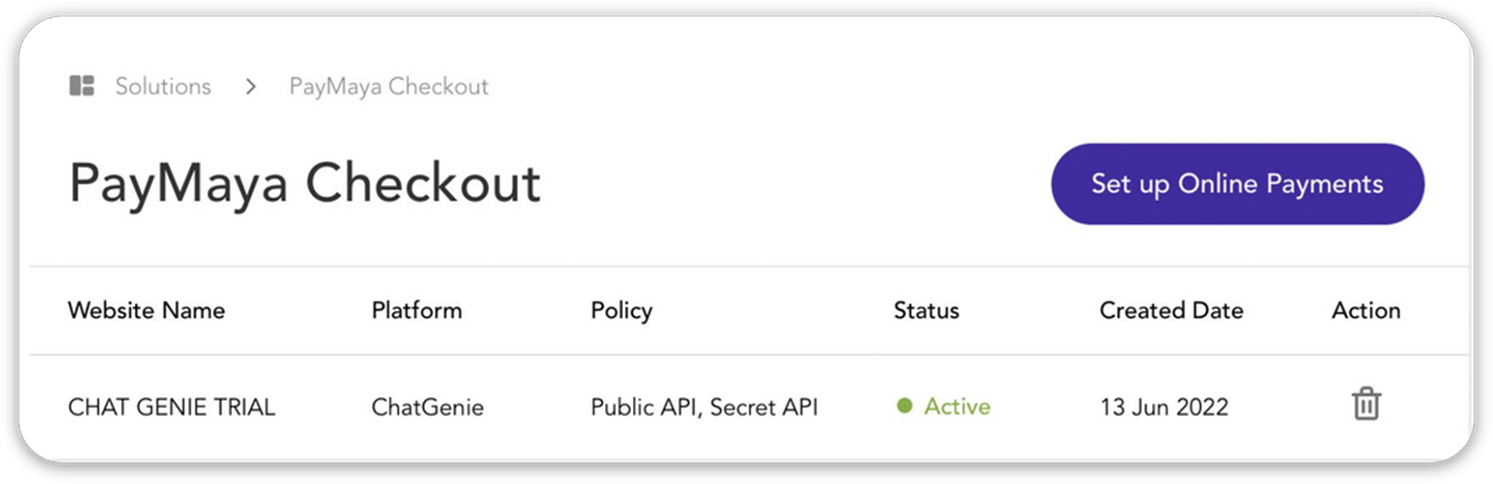
Step 4
Make sure to copy and save the API Key and
Secret Key that will appear and input it to your ChatGenie dashboard
Other solutions you might like
Maya Business App
Unlock more ways to earn extra income with a single app